One activation experience for every community you manage.
Utility Wallet gives operators of utility districts and community utility systems a digital, AI-powered start-service experience they can run across their whole portfolio. Each community keeps its own name, new customer accounts are created in its CIS, and residents set up everything else in the same visit.
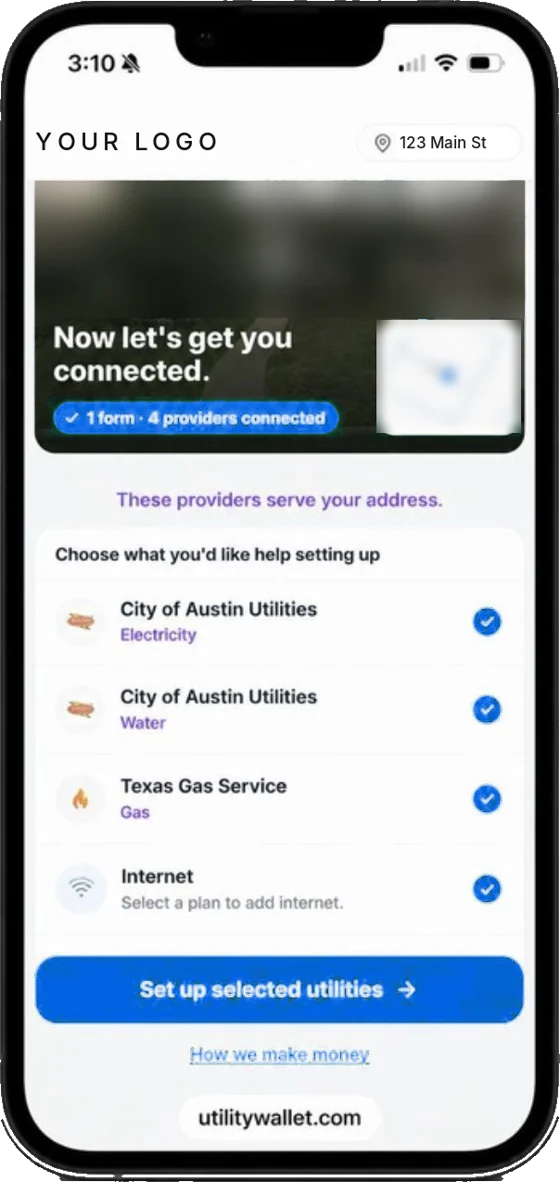
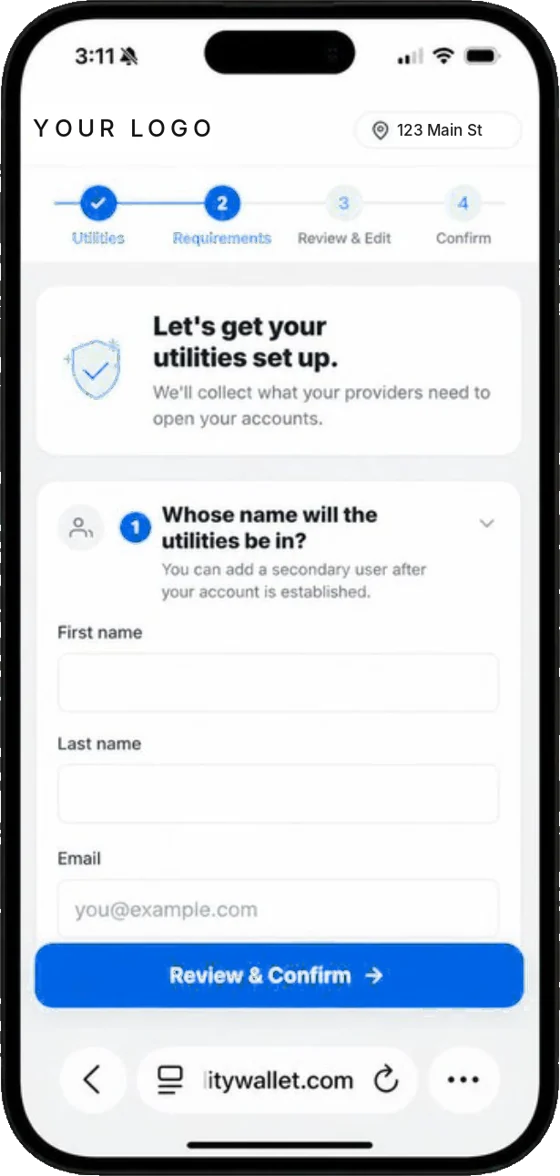
Every community has its own forms, its own process and its own move-in rush.
When you operate many districts or community systems, start-service multiplies. Your team handles the same work dozens of ways, and residents still aren't sure who serves them.
Residents in managed communities often don't know which entity provides their service.
Forms, portals and steps vary by district, and so does what goes missing.
New phases and home closings bring waves of start-service requests at once.
Staff enter the same resident details into each community's CIS by hand.
Electric, gas, trash and internet are left to residents, one provider at a time.
Standardize. Scale. Serve every community.
Streamline service activation across the communities you manage.
Standardize
Configure each community once, then give every resident the same guided start-service experience, under that community's name.
- Branded per community or district
- The right provider at every address
- Complete requests, every time
Scale
AI agents create new customer accounts in each community's CIS, so move-in volume grows without the rekeying, and people handle the exceptions.
- Accounts created in each CIS
- Built for move-in season peaks
- People for the exceptions
Serve
Residents start your service and set up electric, gas, trash and internet in the same visit. Where authorized, communities can also share in the value it creates.
- Every utility in about 4 minutes
- Ready before move-in day
- Value for communities, where authorized
Set up once. Run it across every community.
Residents start from their community
Each community's start-service link opens the experience, and every provider at the address is found automatically.
Accounts created in the right CIS
Residents enter their details once. AI agents create the new customer account in that community's CIS.
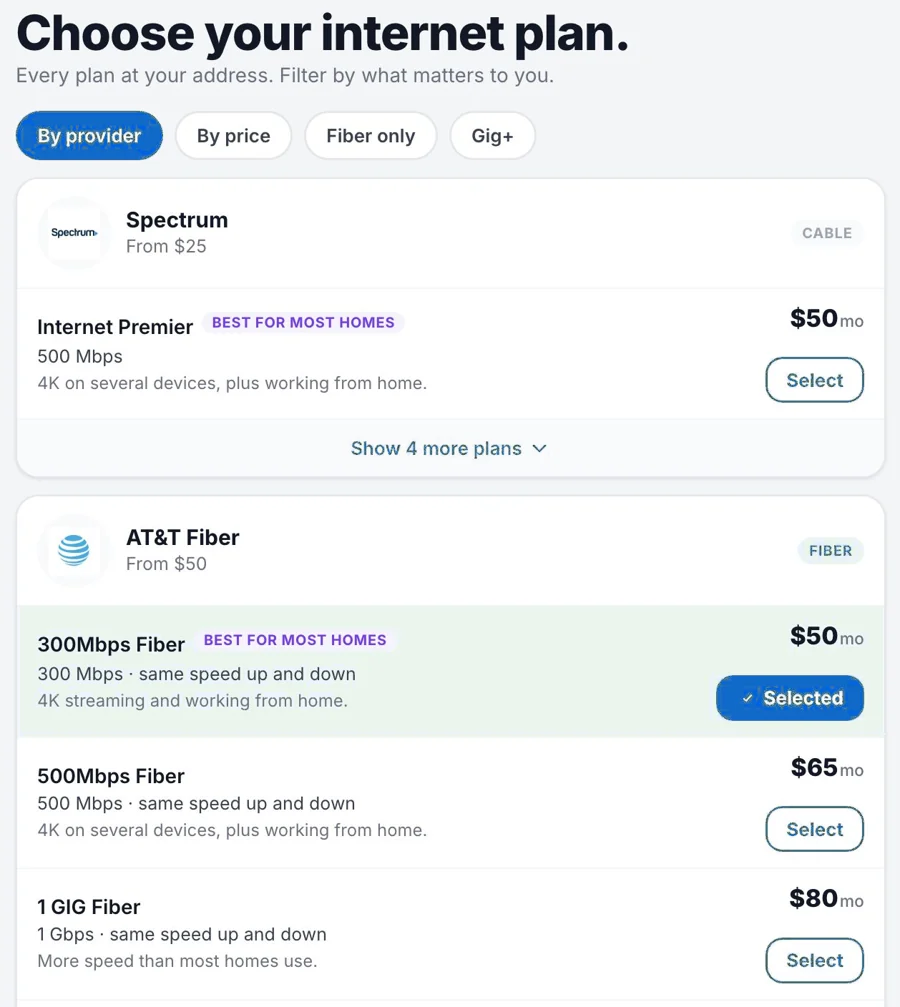
Everything else, same visit
The same details set up the resident's other utilities, and they choose internet at their address.
Clear for residents. Consistent for your team.
The same simple path in every community you manage.
The city, the district, or someone else.
A different form, portal or call for each district.
Details entered again into the CIS.
Residents chase every other provider themselves.
Address-level data shows who serves the home.
Same guided flow, each community's name.
No rekeying, by AI agents.
Other utilities and internet, in about 4 minutes.
New value, community by community.
Every move generates purchases. Where it's authorized, a share of that value can come back to the communities you operate.
A non-rate revenue source per community
Eligible arrangements can return a share of the internet and home-service purchases residents choose to make, with no license fee and no infrastructure to build.
Or a benefit set by each board
Where a revenue arrangement isn't the right fit, value can be structured as a community benefit instead, defined with each district or community.
Commercial arrangements are available only where authorized, and are subject to each community's governing body, policies, procurement requirements and applicable law and approvals. Residents always choose what, if anything, to purchase.
Built by people who know utilities.
Running across rental and real estate platforms today.
Agentic AI plus human exceptions
AI agents complete account workflows; people resolve the edge cases.
Address-level data
Which provider serves each exact address, including districts and city systems.
Deep utility experience
Our team includes decades in utilities, from 360 Home Connect, Direct Energy and TXU.
Streamline service activation across every community you manage.
One activation experience for your whole portfolio, accounts created in each CIS, and a better start for every resident.
Explore a Partnership →✓ No license fee · Each community keeps its name · Commercial terms only where authorized